• Home
  • Suggest A DIY
  • DIY Newsletter

Craft Gossip

Independent craft blog since 2007

  • About CraftGossip
  • Our Network
    • Bath & Body Crafts
    • Candle Making Ideas
    • Crochet Ideas
    • Cross Stitch
    • Edible Crafts
    • Felting Patterns
    • Glass Art
    • Home & Garden Ideas
    • Indie Crafts
    • Jewelry Making
    • Kids Crafts
    • Knitting Patterns
    • Lesson Plans
    • Needlework
    • Party Ideas
    • Polymer Clay
    • Quilting Ideas
    • Recycled Crafts
    • Scrapbooking
    • Sewing Patterns
    • Card Making
    • DIY Weddings
    • Not Craft Ideas
  • Giveaways
  • Roundups
  • Store
  • Search

How to – Print from iWork documents on your iPad

September 6, 2010 by Vikram Goyal

This is strictly not a craft related post, but in the essence of DIY and hacks, I think it fits perfectly on CraftGossip!

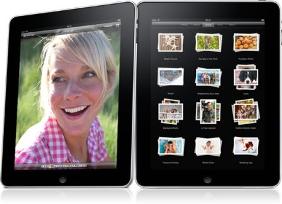
In this post, I will show you how to print from your iPad. iPad is notorious for not including any printing options. Out of the box, you can’t print from your iPad.

There are solutions in the iPad App Store. Some of these solutions are directly from printer manufacturers, while others are third-party applications, for whom you have to pay heaps of money (in iPad Apps terms).

There are issues with all these options, but the biggest issue is that you can’t print from Pages/Numbers/Keynote (suite of iWork documents for iPad) unless you are connected to the Internet.

The way it works with the third-party or printer manufacturer apps is this:

1. Once you are finished with a document, and want to print it, you have to email it yourself.

2. Once you get the email, you have to use the option “Open With” to open the document in your printing app.

3. From there, you follow the prompts in your app.

Of course, what happens if you are not connected to the Internet or don’t have that option and need to print a iWork document?

🙂 This is where the hack comes in.

You still email it yourself. The email won’t go anywhere, but it will stay in the Outbox folder of your Mail. Open up the Outbox folder, and then open up the document using your printing app, using “Open With”. Voila! You can still print Pages and iWork documents, without being online. Make sure to delete the email from your Outbox once finished, otherwise the Mail program will try and send it, next time your are online.

Yes, it is a hack and it requires that you have a wireless router to start with, with your printer and iPad on that network. It also requires that you have setup your email once before. But it works very well for areas that have poor Internet connectivity. Once setup, you don’t need to be connected to the Internet to print from your iPad.
«
»

Have you read?

Michaela McMillan: Weaving Stories into Sculptural Art

Michaela McMillan is a UK-based mixed media artist known for her unique, narrative-driven sculptures made from recycled and found materials. Her work is deeply inspired by a childhood filled with parables and a strong ‘Good Life’ philosophy, which emphasizes sustainability and resourcefulness—values that continue to shape her artistic practice.

At the core of Michaela’s creations is her love for storytelling, paired with a deep connection to nature. Her sculptures often feature animals and human figures, skillfully assembled using decoupage, assemblage, and textile techniques. Each piece is a playful yet thought-provoking exploration of themes like identity, transformation, and the environment.

Michaela’s work has been featured in various exhibitions, including a notable show called “Our Journey” at Hub Sleaford in 2022. Her pieces are praised for their intricate details and the way they breathe new life into discarded objects, turning them into treasured works of art.

For those who are interested in discovering more about Michaela McMillan’s artistic journey and her eco-conscious approach to sculpture, her portfolio offers a fascinating glimpse into her ongoing commitment to sustainable, meaningful art.

RSS feed: More Articles More Articles

  • Michaela McMillan: Weaving Stories into Sculptural Art
  • How to Add Text to a Cross Stitch Project
  • Beyond Basic Pumpkin Knitting Patterns
  • The Goldfish by Henri Matisse Advanced Cross Stitch Kit Review
  • Make To Donate: Crochet Chemo Cap Patterns
  • 32 Halloween Silhouette Digital Stamps and Die Cuts
  • Freebie Friday – Printable Grungy Roses, Torn Paper and Vintage Rose Stamps
  • Free Felting Tutorial Friday: Needle Felted Pet Portraits
  • 12 Free Baby Booties Sewing Patterns – Easy Fabric Shoes for Newborns & Babies
  • Resources for Learning about Squirrels

Pick Your Blog

  • Sewing
  • Knitting
  • Quilting
  • Crochet
  • Home & Garden
  • Recycled Crafts
  • Scrapbooking
  • Card Making
  • Polymer Clay
  • Cross-Stitch
  • Edible Crafts
  • Felting
  • Glass Art
  • Indie Crafts
  • Kids Crafts
  • Jewelry Making
  • Lesson Plans
  • Needlework
  • Bath & Body
  • Party Ideas
  • Candle Making
  • DIY Weddings
  • Not Craft
  • Free Craft Projects

Copyright © 2026 · CraftGossip | Start Here | Contact Us | Link to Us | Your Editors | Privacy and affiliate policy